Your first workflow

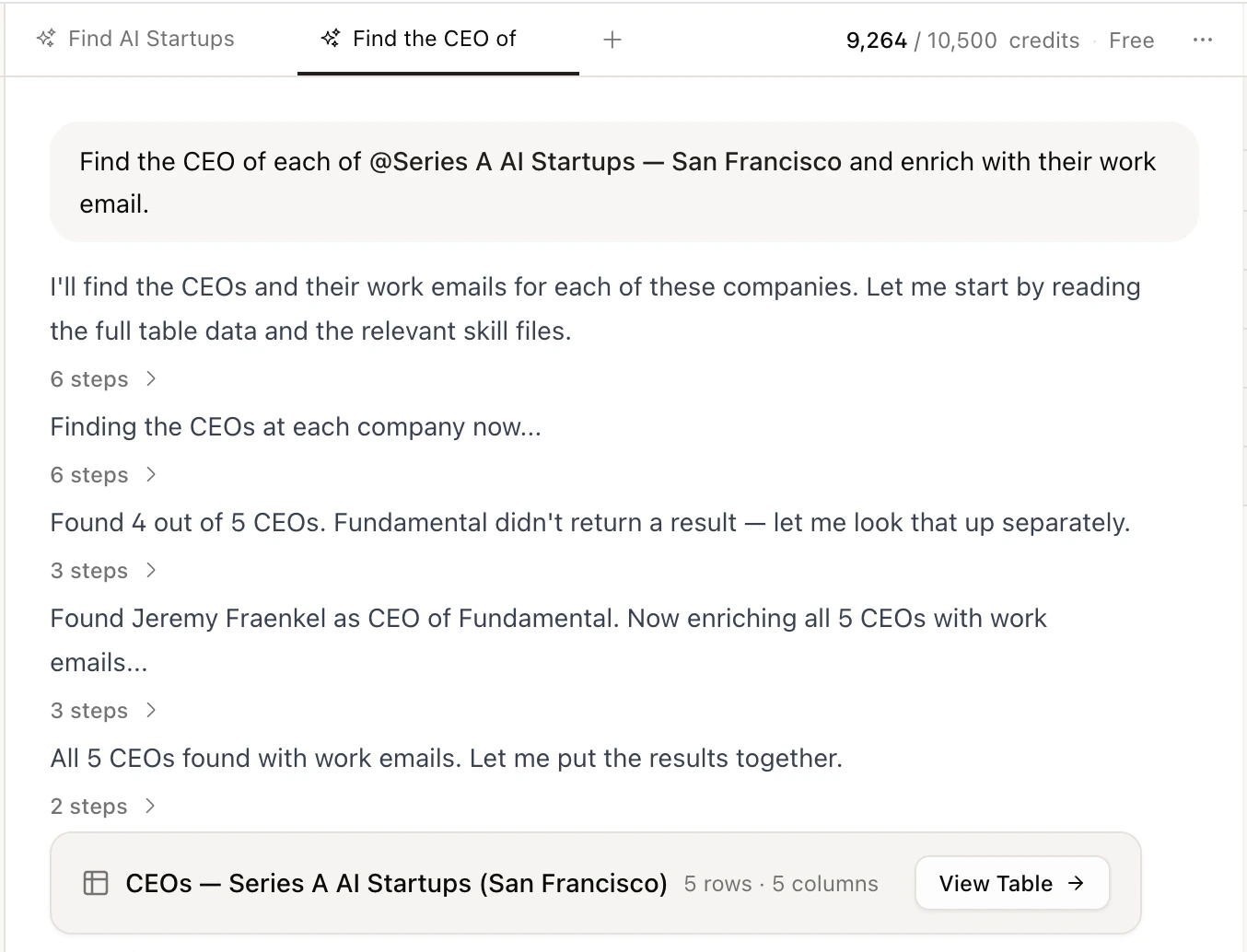
Create a new Claude Code agent and type something like:
Find fintech companies with 50-200 employees, get the VPs of Engineering, pull their emails, and push them to HubSpot.
Canvas takes it from there. Here’s what happens under the hood.
1

Canvas finds companies

Canvas searches for companies matching your criteria.
const companies = await canvas.companies.find({
  industries: ["Fintech"],
  employeeCountMin: 50,
  employeeCountMax: 200,
  limit: 25,
});
2

Canvas finds decision makers

Next, it searches for the right people at each company based on the titles and seniority you asked for.
const people = await canvas.people.search({
  companies,
  titles: ["VP Engineering"],
  seniorities: ["vp"],
  maxPerCompany: 2,
});
3

Canvas gets contact info

It enriches each person with verified emails and phone numbers using waterfall enrichment across multiple data sources.
const contacts = await canvas.contacts.enrich({ people });
If you need personal emails specifically:
const contacts = await canvas.contacts.enrich({
  people,
  emailType: "personal",
});
4

Canvas pushes to your CRM

Finally, it creates a contact in HubSpot for each enriched lead so your team can start working them immediately.
for (const contact of contacts) {
  await canvas.mcp.call("hubspot", "HUBSPOT_CREATE_CONTACT", {
    email: contact.email,
    firstname: contact.first_name,
    lastname: contact.last_name,
    company: contact.company,
    jobtitle: contact.title,
  });
}
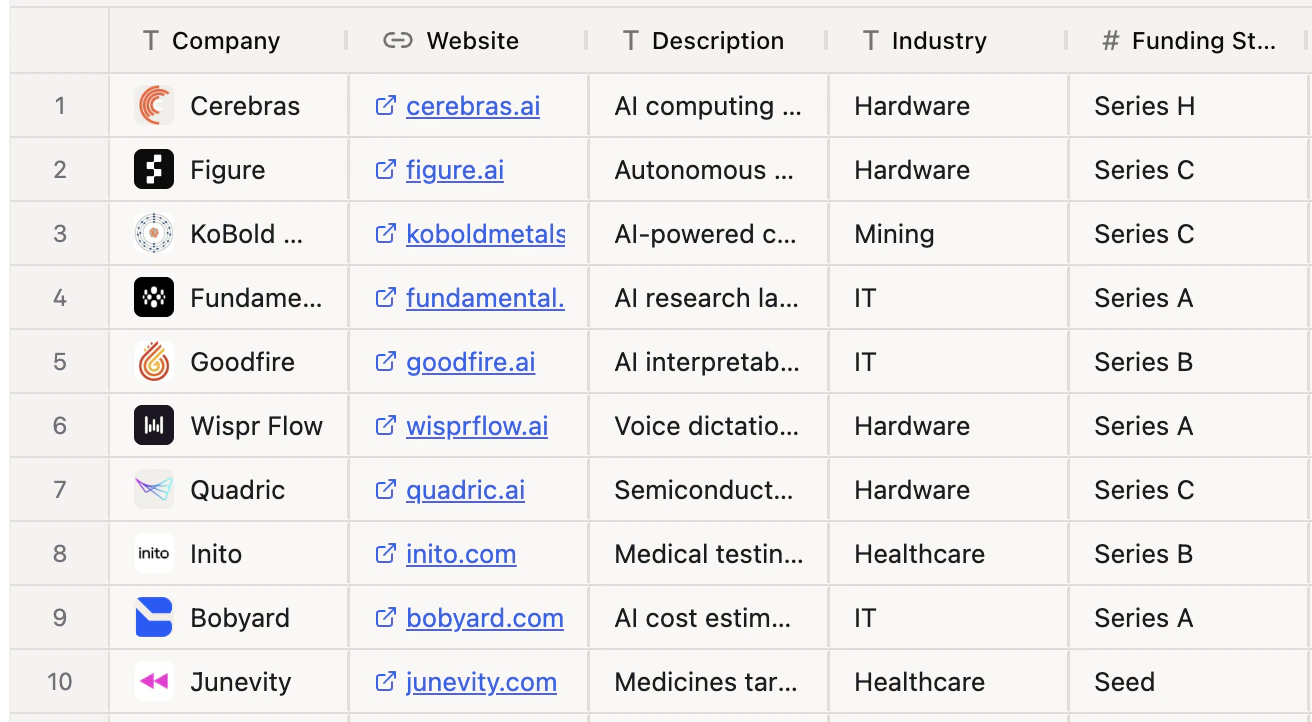
Your results appear as a table artifact on the right — names, titles, companies, emails, and phone numbers. You can scroll through the columns, ask follow-up questions, or export as CSV.

What else can you do?

Canvas can handle a lot more than basic prospecting. Here are some things you can ask.

Outbound prospecting

  • “Find Series A AI startups and get their VPs of Sales’ emails”
  • “Build a list of SaaS companies using React, find CTOs, and get contact info”
  • “Find healthcare IT companies in Texas and get the decision makers in procurement”

Social selling

  • “Find people who reacted to this LinkedIn post and get their emails”
  • “Scrape this person’s LinkedIn and summarize their last 10 posts”
  • “Find LinkedIn URLs for everyone in my list”

Local lead gen

  • “Find dentists in Brooklyn with 4+ stars and get their contact info”
  • “Map out all Italian restaurants in Austin that have a website”
  • “Find auto repair shops across Colorado and research each one”

Research & enrichment

  • “Research Stripe’s recent funding rounds and product launches”
  • “Score these leads 1-100 based on title seniority and company size”
  • “Enrich this CSV — fill in missing emails, phone numbers, and titles”
  • “What tech stack does Figma use?”

CRM & integrations

  • “Find leads and push them straight to Salesforce”
  • “Alert #sales on Slack whenever we find a lead scoring above 80”
  • “Create HubSpot contacts for everyone in this list”

Quick lookups

  • “Find the email for the CEO of Notion”
  • “Get me Instagram engagement stats for these 5 accounts”
  • “How many employees does Ramp have?”

What’s next