> ## Documentation Index
> Fetch the complete documentation index at: https://docs.canvas.inc/llms.txt
> Use this file to discover all available pages before exploring further.
# Quickstart
## Your first workflow
Type a prompt like this into the Canvas agent:
> Find fintech companies with 50-200 employees, get the VPs of Engineering, and pull their emails.
Canvas takes it from there.
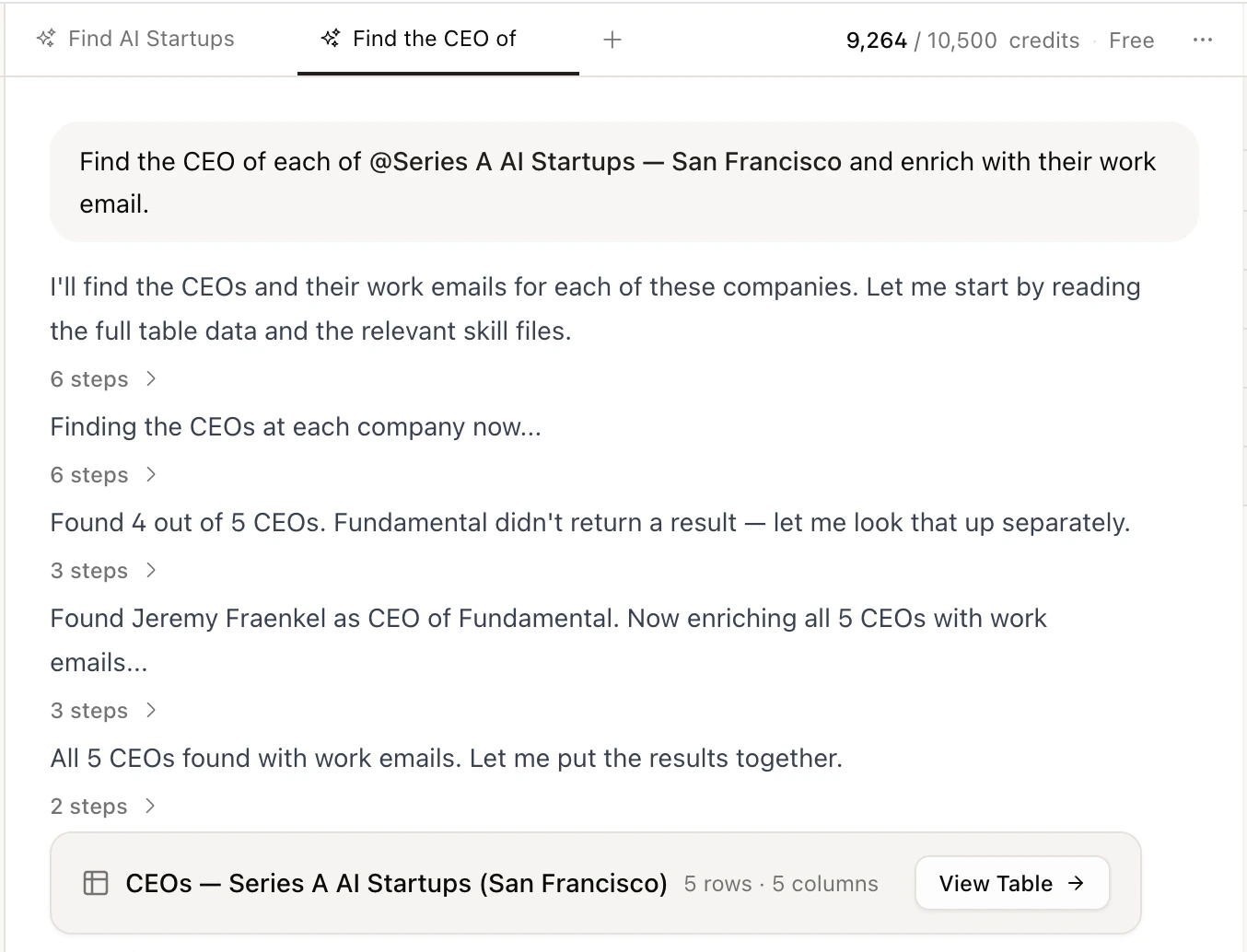 ### What happens
Canvas searches for companies matching your criteria: industry, size, location, funding stage, and more.
It identifies the right people at each company based on the titles and seniority you asked for.
It enriches each person with verified emails and phone numbers using multiple data sources.
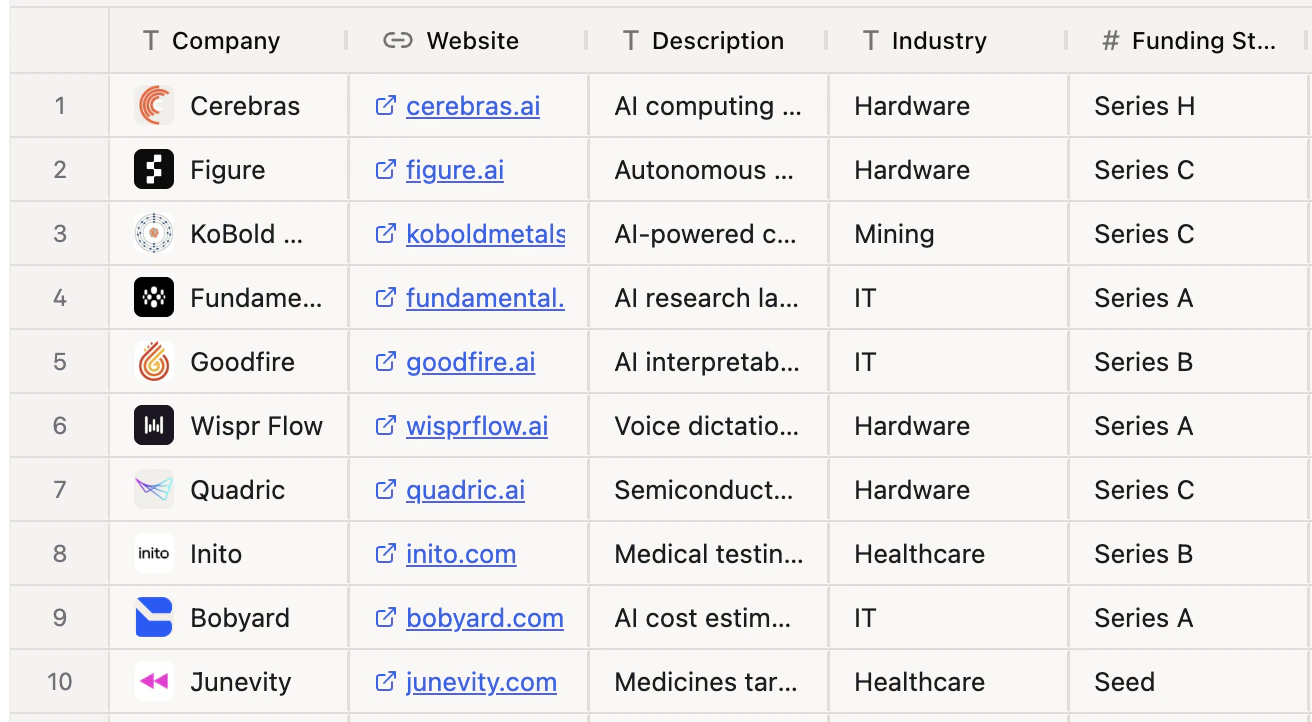
Your results appear as a table on the right: names, titles, companies, emails, and phone numbers. You can search, sort, filter, or export as CSV.
### What happens
Canvas searches for companies matching your criteria: industry, size, location, funding stage, and more.
It identifies the right people at each company based on the titles and seniority you asked for.
It enriches each person with verified emails and phone numbers using multiple data sources.
Your results appear as a table on the right: names, titles, companies, emails, and phone numbers. You can search, sort, filter, or export as CSV.
 ### Push to your CRM
If you've connected a CRM, just ask:
> Push these leads to HubSpot.
Canvas creates contacts in your CRM automatically. See [Integrations](/integrations) to connect your apps.
## What's next
See everything Canvas can do under the hood.
Explore real GTM workflows like outbound, inbound, and account research.
### Push to your CRM
If you've connected a CRM, just ask:
> Push these leads to HubSpot.
Canvas creates contacts in your CRM automatically. See [Integrations](/integrations) to connect your apps.
## What's next
See everything Canvas can do under the hood.
Explore real GTM workflows like outbound, inbound, and account research.